


Perfect Guitar Tuner
4.6391.00 Reviews
App Specs
- Version
- 4.0.1
- Updated On
- License
- Free
- Downloads
- 5,000,000+
- Developer
- o16i Apps
- Categories
- Music & Audio
- Platform
- Android, iOS
Screenshots
 Analysis by AppCompare
I often think of Perfect Guitar Tuner as the sort of tool that earns its place in a shared household phone: it solves a small, familiar problem, and it doesn’t ask everyone to learn a complicated system before they can use it. If one person plays guitar regularly and another is just trying a few chords, a quick tuning check can make practice less frustrating for both. The app is free to install, though it also offers in-app purchases, so I’d treat it as a practical tuner first rather than assume every extra is included.
A useful handoff between players
Picture a guitar left in the living room after one person’s practice. Later, a housemate picks it up and finds that the strings sound off. Instead of waiting for the regular player or searching for a separate device, they can open the tuner, pluck a string, and use the on-screen feedback to bring it closer to pitch. That kind of quick handoff is where a phone tuner is especially convenient: it lowers the barrier to picking up the instrument for a few minutes.
For a shared device, I’d keep the workflow simple. The person tuning should listen to one string at a time, let its sound settle, and avoid having someone else strum nearby while the app is listening. The tuner can help identify whether a note is high or low, but a crowded room with several instruments playing is still a difficult environment for any microphone-based approach. If the household is noisy, finding a quieter corner is more useful than repeatedly plucking harder.
Keep practice independent and predictable
The app is a tool, not a household practice organizer. I wouldn’t expect it to coordinate schedules, keep separate player profiles, or remember who last used a particular tuning. That makes it easy to pass the phone around, but it also means each player should check the selected tuning before changing strings. A beginner who assumes every guitar should be in standard tuning could undo a setup someone else intentionally left in an alternate tuning.
That small check is a worthwhile habit: confirm which tuning you want, tune the strings one by one, then play a familiar chord to catch anything that sounds unexpectedly wrong. If more than one person uses the guitar, agree on a default tuning or leave a note with the instrument when it has been changed. This isn’t a special app feature; it’s a practical way to avoid confusion when a shared instrument moves between players.
There’s also a useful distinction between tuning for a quick home session and preparing for a performance. For casual practice, the app’s visual feedback can get you started without an extra tuner in the case. Before recording or playing with other musicians, I’d take a little more care: tune in a quiet space, check each string again after the others have been adjusted, and listen to a chord rather than relying on a single needle reading. Strings can shift slightly as tension changes, so a second pass is a sensible routine.
Who will get the most from it
I’d recommend this kind of straightforward guitar utility to beginners, occasional players, and anyone who wants a tuner close at hand rather than a separate piece of gear. It can also be handy for a more experienced guitarist who needs a quick reference between songs or during a short practice break. The metronome and ear-training exercises give the app a little more use beyond the initial tuning task, especially if you want to spend a few spare minutes working on timing or listening skills.
Worth Reading Before You Choose

EA SPORTS FC Mobile 26 Is a Bigger Football Game, but It Takes Time

Flipboard Shows What News Apps Must Do Beyond the Feed

Switching to Android Auto Means Rethinking Your Driving Routine

Google Calendar Makes a Crowded Week Easier to Manage

Ludo King Makes the Most of the Minutes Between Plans

Baby Panda World Brings Quick Play to Modern Phones, but Its Game Library Feels Busy
It’s less suitable if you need a dedicated hardware tuner for a loud stage, prefer a physical display that can be read at a glance, or rely on a clip-on tuner because you want to avoid using a phone microphone. In a band rehearsal with several instruments sounding at once, a hardware option may be more dependable and less distracting. Similarly, someone who wants a full practice platform with lessons, song libraries, or detailed progress tracking should look for a different kind of music app; this one is centered on tuning, with a few supporting tools rather than a broad course.
What to expect from a phone tuner
Compared with tuning by ear alone, the app gives you a visible reference and can make the first steps less intimidating. Compared with a clip-on tuner, it avoids carrying an additional device but depends on the phone being nearby and able to hear the instrument clearly. Those are different trade-offs, not a question of one option being best for everyone. If you already keep your phone beside you while practicing, the convenience is hard to ignore; if you often play in noisy settings, a clip-on or other dedicated tuner may be the better choice.
A helpful technique is to pluck each string with a consistent, moderate touch and give the note a moment to ring. Very forceful picking can make a note waver, while a note cut off too quickly gives the app less sound to assess. I also prefer to mute the strings I’m not tuning, particularly when the guitar is still ringing from a chord. These simple adjustments make the readout easier to follow without turning a basic tuning task into a technical project.
Setup, age, and household trust
The app is listed for Everyone, and its purpose is easy to understand: tuning an instrument and supporting practice. That makes it a reasonable fit for a young learner using a parent’s or shared phone, provided an adult handles the device’s usual account and purchase settings. Since in-app purchases are available, I’d check those settings before handing over a shared device, rather than assume that a free install means every part of the app is free.
On Android, the current version is 4.0.1 and the minimum operating system requirement is Android 8.0. It comes from o16i Apps and sits in the music and audio category. Its 4.6 average from around 18,000 ratings, along with over one million installs, suggests that plenty of people have found it useful, though those figures don’t guarantee that it will suit every phone, guitar, or room. I’d install it on the device that will actually be used for practice and try it in the usual playing space before relying on it for an important session.
First Impressions
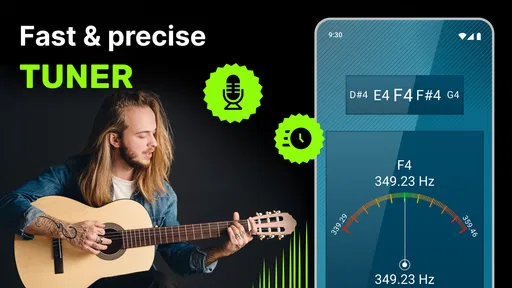
When I first launched Perfect Guitar Tuner, I was greeted with a simple and clean interface. No unnecessary bells and whistles; just straightforward functionality. I appreciated this immediately because, let's be honest, no one wants to fiddle with a complicated menu when all you want to do is tune your guitar and start playing.
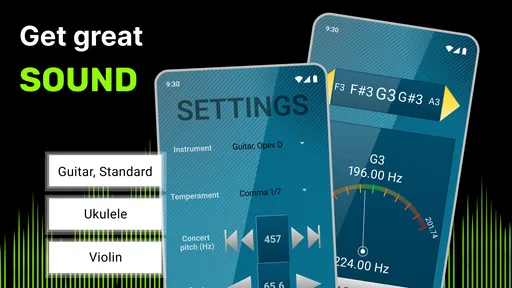
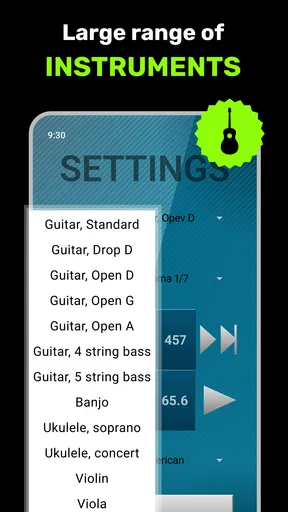
The home screen presents you with options for different tuning modes, which is super handy. Whether you're into standard tuning, drop D, or even exploring some open tunings, this app has got you covered. It’s like having a personal guitar tech in your pocket!
Using the Tuner
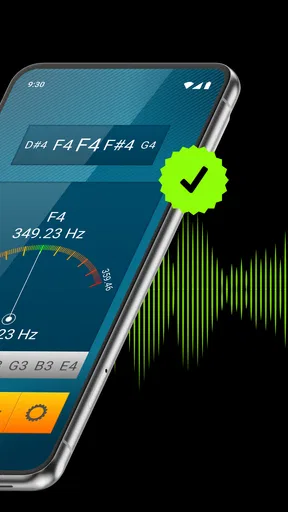
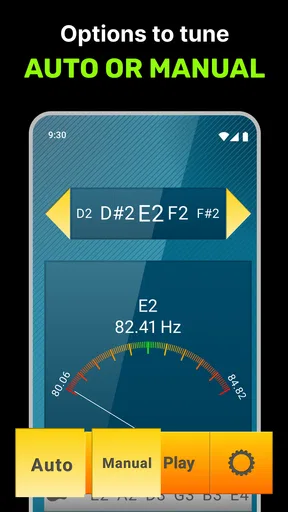
Getting started with the tuning process is as easy as pie. You just pluck a string, and the app immediately starts listening. The needle on the interface swings like a pendulum until you hit the sweet spot. It’s pretty satisfying to watch, and the real-time feedback is incredibly useful.
One thing I found particularly nifty is the app’s ability to filter out background noise. So, if you're tuning up in a room with a bit of chatter or music playing in the background, the app still manages to lock onto your guitar's frequency. This feature alone makes it worth having on your phone.
Additional Features
Beyond the basic tuning capabilities, Perfect Guitar Tuner offers some cool extras. There’s a handy metronome feature for those of you who like to keep perfect timing. It’s adjustable and easy to use, making it a nice little bonus for practicing your rhythm.
The app also provides a set of ear training exercises. If you're looking to improve your pitch recognition, this is a great way to train your ears. It's like having a mini music theory lesson right at your fingertips.
The User Experience
One of the things that stood out to me was the app's user experience. It’s intuitive, responsive, and downright enjoyable to use. Whether you're a seasoned musician or just starting out, the app makes tuning your guitar a breeze. The developers clearly put a lot of thought into making the app accessible for everyone, and it shows.
Another aspect I love is the app's low battery consumption. I’ve used other tuners that seem to drain my battery faster than a YouTube binge, but this one is surprisingly efficient. Plus, it doesn’t require a constant internet connection, which is a godsend for those impromptu jam sessions in places with spotty Wi-Fi.
Final Thoughts
Overall, Perfect Guitar Tuner is a must-have app for any guitarist, whether you're a beginner or a pro. It's reliable, easy to use, and packed with features that enhance your musical journey. If tuning your guitar has ever been a chore, this app is here to change your tune—literally!
Grab your phone, download the app, and get ready to make beautiful music. Trust me, your ears will thank you.
My household verdict
For a family or shared home where someone occasionally reaches for a guitar, I see the biggest benefit in having a low-effort starting point. A learner can check the strings before a short practice, while a more confident player can use the metronome or ear exercises afterward. The app doesn’t replace agreeing on how an instrument should be left, but it can make tuning less dependent on one person being around to help.
I would choose it when convenience matters more than having dedicated gear: a beginner’s first months, a spare guitar in a common room, or a quick practice session before dinner. I would choose another tuner when the environment is loud, when a performance requires a very dependable stage workflow, or when the player wants a physical control and display. That distinction is the fairest way to judge it. As a free-to-install music utility with optional purchases, it is an approachable companion for everyday guitar use, as long as each player understands the tuning choice and the limits of listening through a phone.
Pros
- Simple interface for easy tuning.
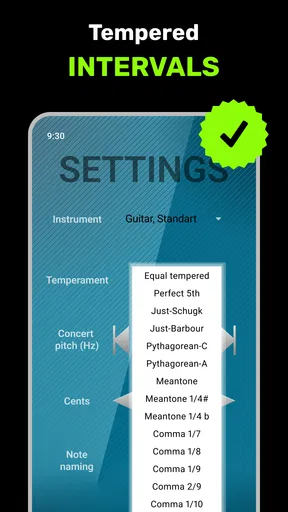
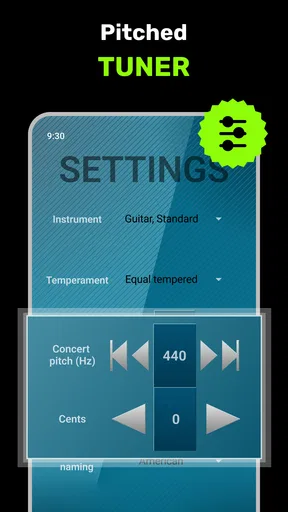
- Wide range of tuning options available.
- Suitable for beginners and experts.
- No internet connection required.
- Accurate pitch detection.
Cons
- Ads can be intrusive at times.
- Limited features in free version.
- May not support all instruments.
- Interface lacks visual appeal.
- Occasional lag on older devices.
FAQs for Perfect Guitar Tuner
What features does Perfect Guitar Tuner offer?
Perfect Guitar Tuner provides a comprehensive range of tuning options for various stringed instruments, not just guitars. Users can choose from standard and alternative tunings, access a chromatic tuner for precision, and utilize a built-in metronome. The app’s user-friendly interface makes it easy for both beginners and advanced musicians to use.
Is Perfect Guitar Tuner suitable for beginners?
Yes, Perfect Guitar Tuner is designed to be intuitive and user-friendly, making it ideal for beginners. The app provides clear instructions and visual aids to help users tune their instruments accurately. Additionally, it offers educational resources to help novices understand tuning nuances and improve their musical skills.
Does the app require an internet connection to function?
Perfect Guitar Tuner does not require an internet connection for its primary tuning features, allowing users to tune their instruments anywhere, anytime. However, some additional features, such as downloading new tunings or accessing updates, may require an internet connection.
Are there any in-app purchases or ads in Perfect Guitar Tuner?
While Perfect Guitar Tuner offers a free version with essential tuning capabilities, it may include ads. To enhance the user experience, the app provides an ad-free premium version through in-app purchases, which also unlocks additional features and tunings for advanced users.
Which devices are compatible with Perfect Guitar Tuner?
Perfect Guitar Tuner is compatible with both Android and iOS devices. It supports a wide range of smartphones and tablets, ensuring that most users can benefit from its tuning capabilities regardless of their device. Regular updates ensure the app remains optimized for the latest operating systems.


